



The room’s
already open.
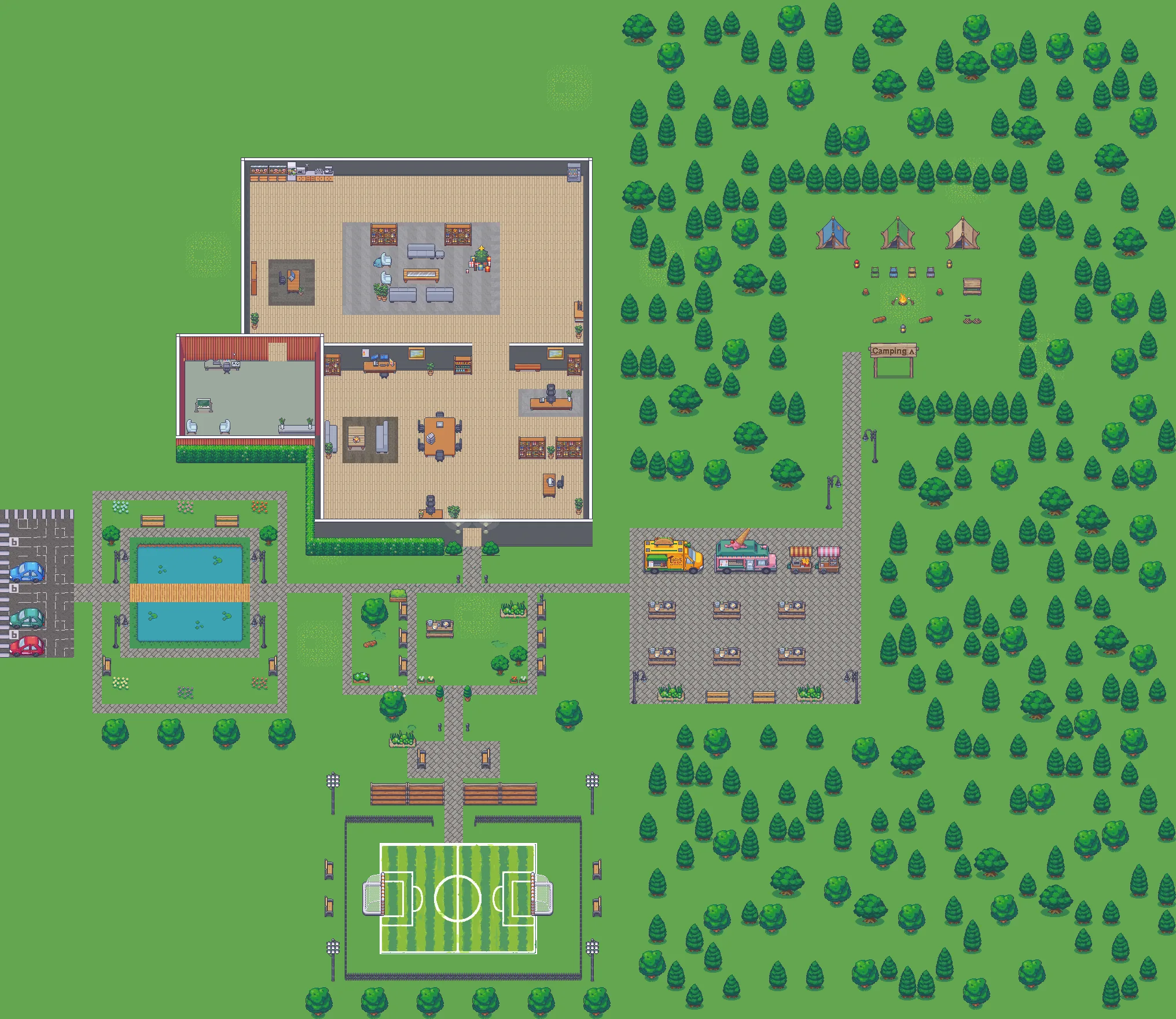
WorkDash keeps one room running for your friend group — proximity voice chat nobody has to start, in a small world you can actually walk around. Open the tab, see who’s on, sit down.


Why not just Discord or Gather?
Discord
A voice channel is a door you open.
Join a voice channel and see who is already there. WorkDash adds a walkable world where entering a room joins its conversation. Keep your server for everything else.
Gather
Built for offices, and paid-only now.
Gather ended its free plan in September 2025 and costs $12 to $15 per person a month. WorkDash keeps the 2D world and room-by-room voice, free, for groups up to about twenty.
Free Gather alternativeWorkDash
One room, always open.
See who's on before you join. Walk into a room and you're talking to everyone in it; step out when you're done. It runs in a browser tab.



 Mika
 You
 Jo · camera off
What it actually does.
For friends catching up, and teams who’d rather share a room than book a meeting.
Proximity chat
Walk in.
Start talking.
No call to start. Everyone in the same room hears each other. Step into the private office and only the people inside can hear you.
Instant video pods
Step in.
Cameras up.
Your camera comes up on its own. No link to send, nothing to ring, no waiting room to sit in.
Expressive emotes
Calm room.
Loud moments.
Send coffee, throw confetti, or dance. The chrome stays calm. The moments are where the noise goes.
Presence
One glance tells you who’s around, who’s free to chat, and who’s heads-down.
When nobody’s on, it says so and leaves you alone.
Andrew’s on the couch.
Sit down.
Try WorkDash free.
No sign-up needed.
WorkDash is a browser-based 2D hangout with voice chat. Pick a character, invite a friend and explore together.
Enter a free roomYour free room lasts 20 minutes.
It closes after three empty minutes.
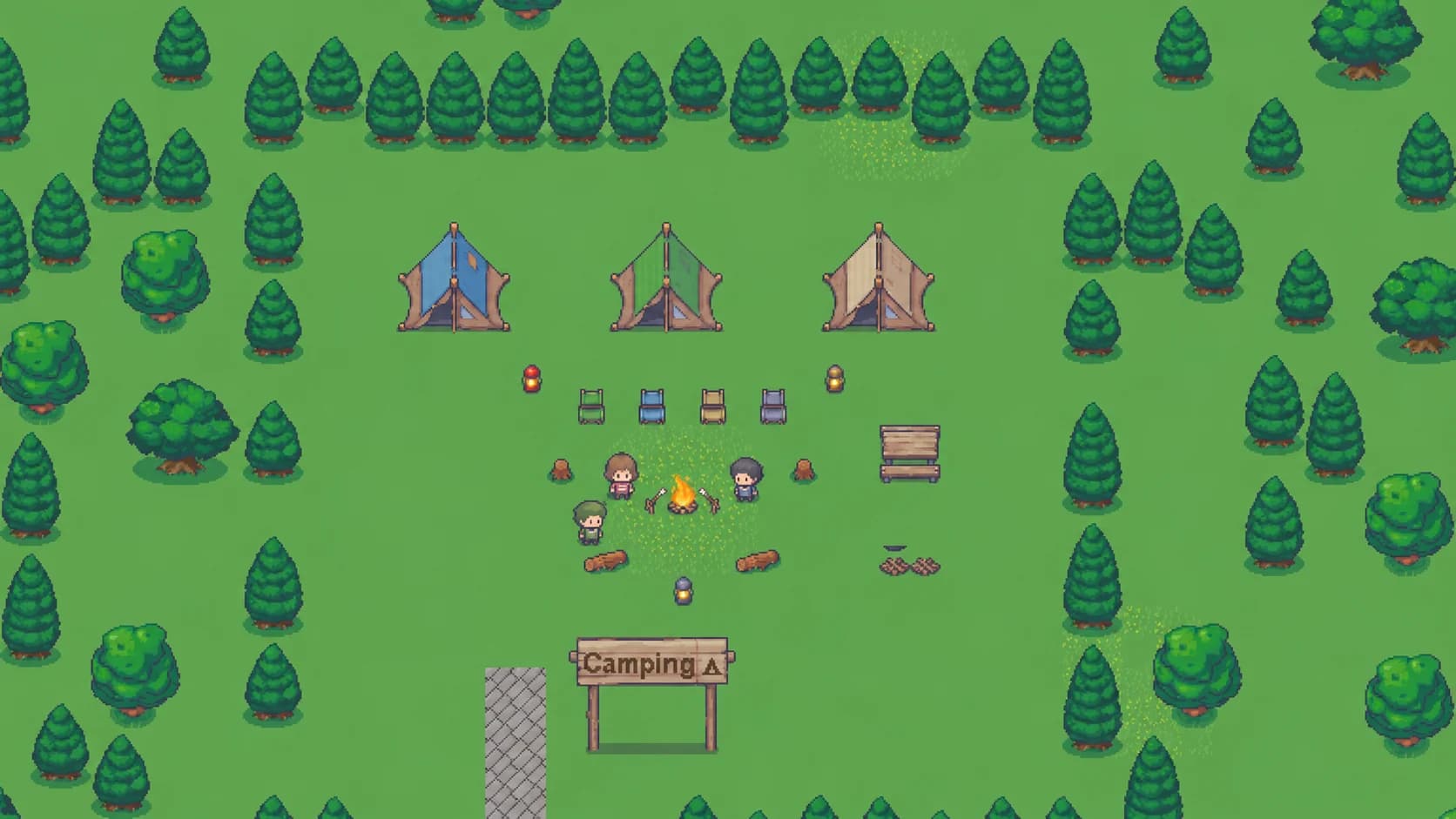
Start with a guest room
Choose your character
Create a guest character and enter the real WorkDash world. No account or download needed.
Invite your friends
Share your room's invite link. Walk into the same audio area and turn on your microphone to talk.
Keep it when you sign in
Try it for 20 minutes. Each guest can save their character; the host can also save the room.
A place to spend time together
WorkDash started with one group: a few of us who used to work together and still keep a call open. We wanted a room we could leave open, where you can see who’s around and just walk over.
That’s what this is. It’s early, and I’m building it on my own, so tell me what breaks.
Common questions
Yes. Create a character and enter a free guest room in your browser, then share its invite link with friends. You use the real WorkDash map, movement and voice chat. No sign-up or download is needed.
A guest room lasts 20 minutes and closes after three minutes with nobody in it. It can hold up to eight people, including the host. Trial places are limited, so you may need to try again when the service is busy.
Each guest can sign in to save their own character for up to 24 hours after the trial deadline. Only the host can save the room as a normal workspace. Saving does not extend anonymous access or automatically add guests as account members.
Yes. People in the same audio area can hear each other. Your microphone starts off; turn it on when you want to talk. The paths between named areas share outdoor audio. Video, screen sharing, files and chat history require an account.
Yes. There is no card, no seats and nothing for sale, because there is no billing built yet. If paid extras ever arrive, voice, the room and your chat history stay free. It is in early access, so expect rough edges.
For small groups, yes. Gather ended its free plan in September 2025. WorkDash has the parts small groups use most (a 2D world with voice by room, video and screen sharing) and is free. It is built for groups of up to about twenty, and it does not do large events or maps you design yourself.
Guest trial rooms allow up to eight people, including the host. Signed-in rooms are built for small groups of about twenty people. WorkDash is intended for friend groups, not large community servers.
Discord has drop-in voice channels and shows who is in them. WorkDash adds a 2D world where entering a room joins its conversation. You hear everyone in your current room; audio does not fade with distance inside it.
No. Keep your server for what it does well. WorkDash is the room you hang out in, in a browser tab next to it.
No. WorkDash runs in the browser. You can install it as an app if you want a separate window, but that is optional.
Yes, in your phone's browser. In the world, an on-screen joystick lets you walk around with your thumb. It is early, so a laptop is still the smoother experience.
With a Google account, or with a magic link sent to your email.
No. Desk mode is the quiet half: channels, threads and screen sharing, with no sprite to move. You can sit in either and switch whenever.